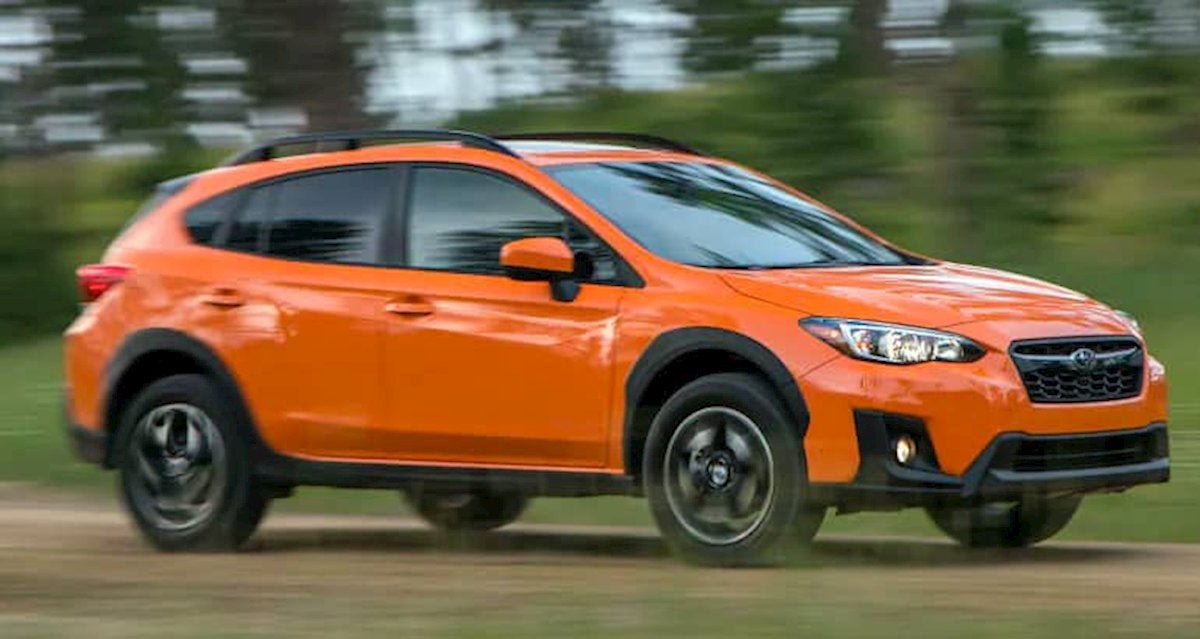
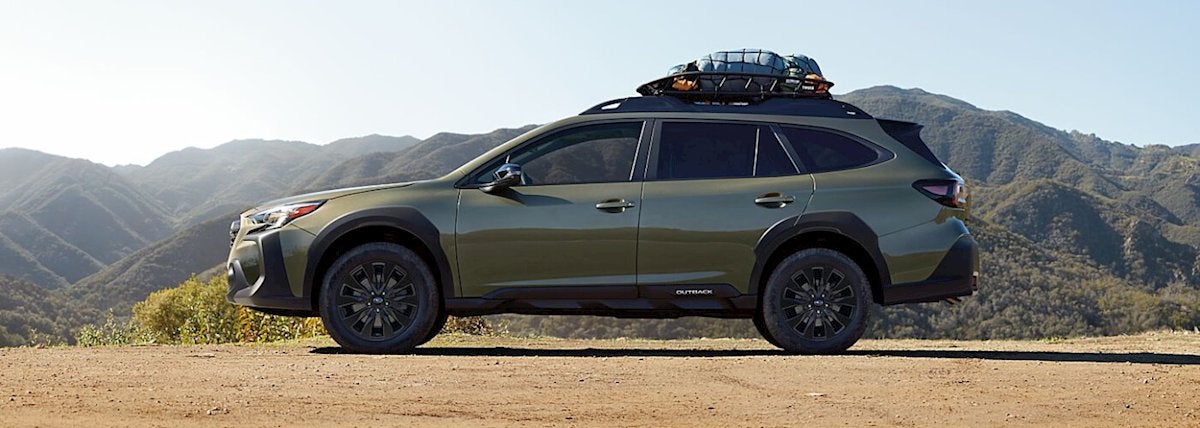
Readers report on performance in snowy conditions By Jeff S. Bartlett It’s generally better to have four wheels pulling your car forward than just two when conditions are slippery. Vehicles with all- and four-wheel-drive systems feed power to each tire to provide maximum traction when you’re going forward. But these systems aren’t foolproof-they do nothing to improve braking on slick surfaces. If you’re shopping for a new car and live in an area where roadways are regularly covered with ice or snow, consider these top-ranked models from our 2016 Annual Auto Survey. We asked subscribers to rate their vehicle’s performance in snowy conditions. The results, based on 36,000 vehicles between model years 2013 and 2016, show that some AWD and 4WD models are better than others. All respondents had driven their vehicles without changing to winter/snow tires and had faced at least six snowy days during the winter of 2015 to 2016. The rankings are based on the percentage of vehicles that were rated Very Good in snow performance. Winter tires will make these cars and SUVs perform even better. 1. Subaru Outback In freshening the 2018 Outback, Subaru made some styling, infotainment, and technical updates. Chief among those is the upgraded interior. Subaru says the Outback is even quieter inside the cabin. Other changes inside include a redesigned center console and more upscale stitching detail on higher-trim models. One long-overdue improvement is the addition of Apple CarPlay and Android Auto capabilities to the infotainment system choices. All-wheel drive remains standard, and the engine choices are unchanged: 175-hp, 2.5-liter four-cylinder, and 256-hp, 3.6-liter six-cylinder. The 2018 models get a revised air-conditioning system that supposedly cools the cabin more quickly, and the new Outback gets a redesigned clock that’s apparently larger and easier to read. The EyeSight safety suite is available. 2. Subaru Forester Hitting the sweet spot among small SUVs, the Forester delivers a spacious interior, impressive safety equipment and crashworthiness, and outstanding visibility in a right-sized, affordable package. Fuel economy is excellent at 26 mpg overall, especially given the standard AWD. The ride is supple and handling is very secure. Engine noise is pronounced when merging or climbing hills, however. Controls are straightforward and easy to use. The infotainment and connectivity systems have finally been updated with an intuitive touch screen. Midtrim Foresters bring a lot of content for the money, but it’s easy to crest $30,000 with options packages. A feisty turbo comes with XT trim but compromises the value equation. The optional (and recommended) EyeSight system includes forward-collision warning and automatic emergency braking. 3. Chevrolet Suburban/ GMC Yukon XL If you need space for seven or more people, all their stuff, and towing capacity to boot, few SUVs rival the Chevrolet Suburban and its mechanical twin, the GMC Yukon XL (shown above). These behemoths have a sumptuous and quiet interior, power-folding second- and third-row seats, and available blind-spot monitoring and cross-traffic alert. Beyond that, they’re pretty much your standard haulers, with a 5.3-liter V8 mated to a six-speed automatic, and a respectable 16 mpg overall. The touch-screen infotainment system is easy to use, and the available magnetic ride suspension improves ride comfort and handling response and capability. Recent updates include available lane-keeping assist plus Apple CarPlay. 4. Subaru Crosstrek Subaru has again created a raised Impreza hatchback primed for frugal weekday commutes and spirited weekend adventures. (The survey results are based on the previous Crosstrek.) This Crosstrek benefits from the new platform used for the Impreza. It has an impressive ride quality, allowing for a smoother, more comfortable experience. Its handling is responsive but not as sporty as some competitors, notably the Mazda CX-3. The 2.0-liter, four-cylinder engine and CVT transmission have been revised, nudging horsepower up to 152. Fuel economy is not expected to improve, based on EPA figures. Though strikingly similar to the first-generation Crosstrek, the car feels much more substantial overall. We wish that forward-collision warning and automatic emergency braking were standard across the line; EyeSight is optional only on the Premium and Limited trims. 5. Toyota 4Runner Tough and ready to tackle off-roading adventures, the truck-based 4Runner falls short of most modern SUVs on all other counts. Its rough-sounding 4.0-liter V6 is powerful and reasonably fuel-efficient. But the ride is unsettled and handling is clumsy. The body leans noticeably while cornering, and the bobbing and bouncing ride chips away at driver confidence. A high step-in and low ceiling compromise access and driving position. The SR5’s 4WD system is part time only. A third-row seat is optional, and the power-retractable rear window is handy. 6. Jeep Grand Cherokee The Grand Cherokee has a solid, upscale interior; comfortable seats; and a mostly compliant and controlled ride, all of which endow it with a premium feel. Handling is competent, fit and finish is excellent, and the eight-speed automatic shifts smoothly. The standard 3.6-liter V6 returned just 18 mpg, though. We also tested the diesel powertrain, which racked up 24 mpg overall. Two V8s, a 5.7-liter and the SRT’s 6.4-liter, are optional. The Uconnect infotainment system, with its large, well-labeled touch screen, is one of the best we’ve tested. Appropriately optioned, the Jeep makes a good tow vehicle or a capable off-roader. Recent updates include engine stop-start for the revised V6, Siri Eyes Free, and an easier-to-use shift lever. 7. Buick Enclave The survey results are on the first-generation Enclave. This large, three-row Buick Enclave crossover is being treated to its first redesign in about a decade (shown above). The 2018 model promises improved fuel economy, increased interior space, and a technology smorgasbord. A 3.6-liter V6 teamed with a nine-speed automatic transmission sees output increase 14 hp, to 302. Combined with a start/stop system, this powertrain should bolster efficiency over the 15 mpg we recorded with the outgoing model. This setup has a towing capacity of 5,000 pounds and is available in front-wheel drive or all-wheel drive. The third-row seats fold flat for loading cargo. Advanced safety features such as automatic emergency braking and forward-collision warning are available, though not on all of the trim levels. Full-speed AEB is available only on the top-level Avenir. 8. Volvo XC60 The survey results are based on the previous generation Volvo XC60. This upscale SUV has been redesigned for 2018 XC60 (shown above) with a choice of three engines, each mated to an eight-speed automatic and all-wheel drive. The base T5 features a 250-hp, 2.0-liter turbo four-cylinder engine. The T6 uses a 316-hp, 2.0-liter turbo and supercharged four-cylinder. The top model is the T8, which is a 400-hp plug-in hybrid. The new five-seat XC60 is longer than the outgoing one but lower. The cabin looks very much like that of the XC90, down to the large touch-screen infotainment system that dominates the center of the dashboard. Volvo’s advanced safety system, City Safety, encompasses both low- and high-speed automatic emergency braking. Some new features, such as Steer Assist, work with other parts of the City Safety system to avoid obstacles in the road ahead. Oncoming Lane Mitigation alerts drivers who have wandered out of their lane and guides the XC60 back into the correct lane. And Volvo’s blind-spot warning system uses the Steer Assist capabilities to lower the chances of having a collision when changing lanes. 9. Chevrolet Tahoe/GMC Yukon The Tahoe has a luxurious and quiet interior, but the ride is too stiff and the third-row seat is tight. In addition, the 5.3-liter V8 and six-speed automatic combine to form a lackluster powertrain that returned 16 mpg overall. The touch-screen infotainment system is easy to use, and the front seats are very comfortable. The Magnetic Ride Control suspension on LTZ trims improves ride comfort as well as handling response and capability. Properly equipped versions can tow 8,500 pounds. But if towing isn’t your main concern, car-based SUVs drive better and are roomier. Lane-keeping assist is now available, joining the already available blind-spot monitoring and cross-traffic alert systems. The Tahoe and its twin, the GMC Yukon, stood out in our latest subscriber survey on AWD performance. 10. Jeep Wrangler As an everyday vehicle, the Wrangler trails most SUVs, but few are better for off-road use. The Wrangler uses Chrysler’s 3.6-liter V6 and five-speed automatic, which returned 17 mpg overall in our tests. Though the Wrangler may be better than ever before, the ride rocks and jiggles constantly, and handling is clumsy. Wind noise is very loud at highway speeds. Getting in and out is awkward, and the interior is uncomfortable. Off-road performance is legendary, and the Rubicon version performs better there than our tested Unlimited Sahara did. IIHS side-crash results for the two-door are Poor, and the small-overlap Marginal. But small-overlap and offset-frontal results for the four-door are Good. A redesigned Wrangler is on the way. New Inventory Used Inventory Contact Us